Cross Sections
Sections creation
CivilFEM cross sections are created differently depending on the material of the transverse section.
Concretre Sections: CivilFEM provides Rectangular, Circular, T, I, Box, Pipe and Capture sections, each one have a command with different arguments, all included in the Script Manual. For example in rectangular sections the arguments are name, material, Height and Width:
createConcreteRectangularSection("RectSection","C12/15",1,0.5)
Cable Sections: for cable sections the arguments are name, material and outer diameter.
createCableSection("Cable", "Structural steel", Double(1,"m"))
Generic Sections: Besides the default sections CivilFEM has generic sections, whose arguments are name, material, area, inertia about element Y axis, inertia about element Z axis and torsion constant.
createGenericSection("Generic", "GenericMat", 2, 1300, 1300,4)
Steel from library: CivilFEM has an own library sections for steel; all items are included in Script Manual. The arguments for this command are: material, shape, code or standard and name.
createSteelLibrarySection("Steel","Channel","Europn UAP","UAP 80")
Steel by plates: this section is defined by adding plates, giving thickness and one point (X,Z). For the first plate, two points are given in Python.
createSteelByPlatesSection("Steel generic", "structural steel")
sec = SectionsContainer.Find("Steel generic")
addPlate([sec],Double(0.5,"m"), (0,1),(0,5))
addPlate([sec],Double(0.5,"m"), (5,10))
Steel by dimensions: There are some default sections for steel similar to concrete sections; I, L, T, Channel, Pipe and Box, each one has an own command and different arguments. For example, in I section the arguments are: Name, Material, Height, Width, Web thickness, Flage thickness and Weld throat.
createSteelDimISection("Steel I","Steel",1, 1.5, 1, 0.5, 1)
Plot and Snapshot
To make a snapshot of a section is necessary to plot first the section. So for example to make a snapshot of an IPE 80 section, proceed as follows:
section = SectionsContainer.Find("IPE 80")
plotSection([section])
sectionSnapshot([section], r"section_Snapshot.bmp")
If a snapshot is already created with the same name, the program will ask you if you want to overwrite the file, to avoid the pop-up is as easy as put a third boolean argument, if you want to overwrite set True, and set False if you want to save the file with another name.
sectionSnapshot([section], r"section_Snapshot.bmp",True)
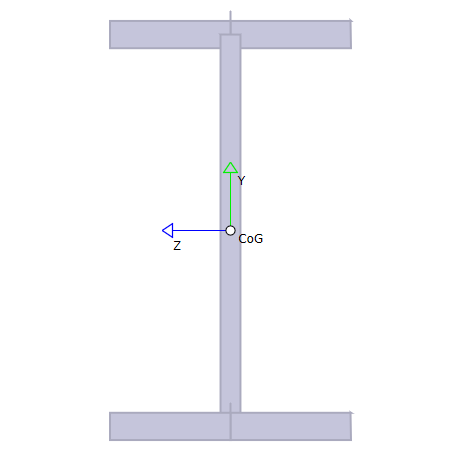
Snapshot of a section